Digital Assurance
Live projectA clearer view of your website.
A practical way to keep improving it.
Public websites change constantly. Content ages, links break and accessibility issues can slip into everyday updates. Digital Assurance brings those signals into one workspace, helping website owners and content teams decide what needs attention and why.
I built it to connect automated checks with a useful review process: discover pages, capture evidence, prioritise findings and track the decisions that follow.
A closer look at Digital Assurance.
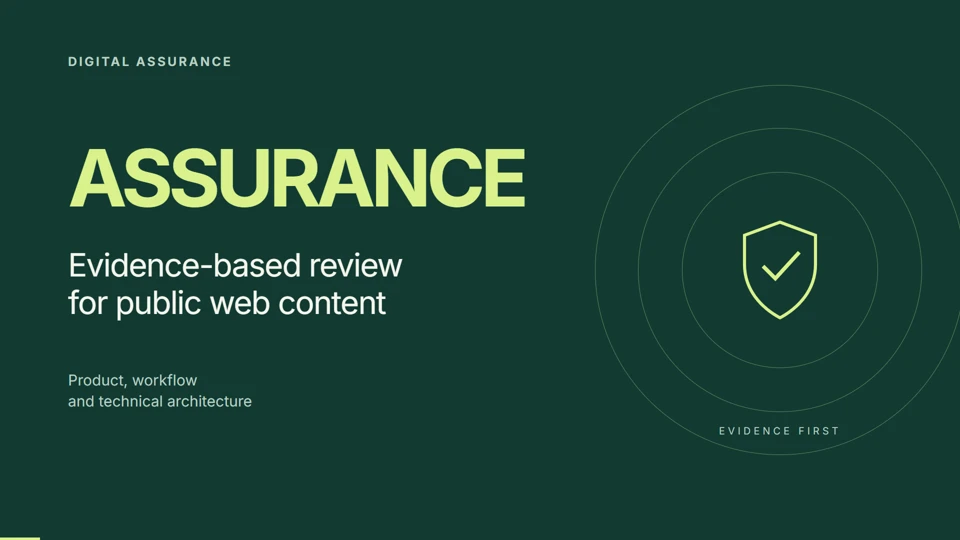
Explore the product, the review workflow and the engineering behind it in a 24-slide presentation.
 Read the presentation
From first scan to follow-up.
See the checks, captured evidence, human review process and technical architecture, with a suggested live-demo walkthrough.
Read the presentation on this page
For a larger view or if your browser cannot display the document, open the PDF in a new tab.
From scattered issues to a focused review.
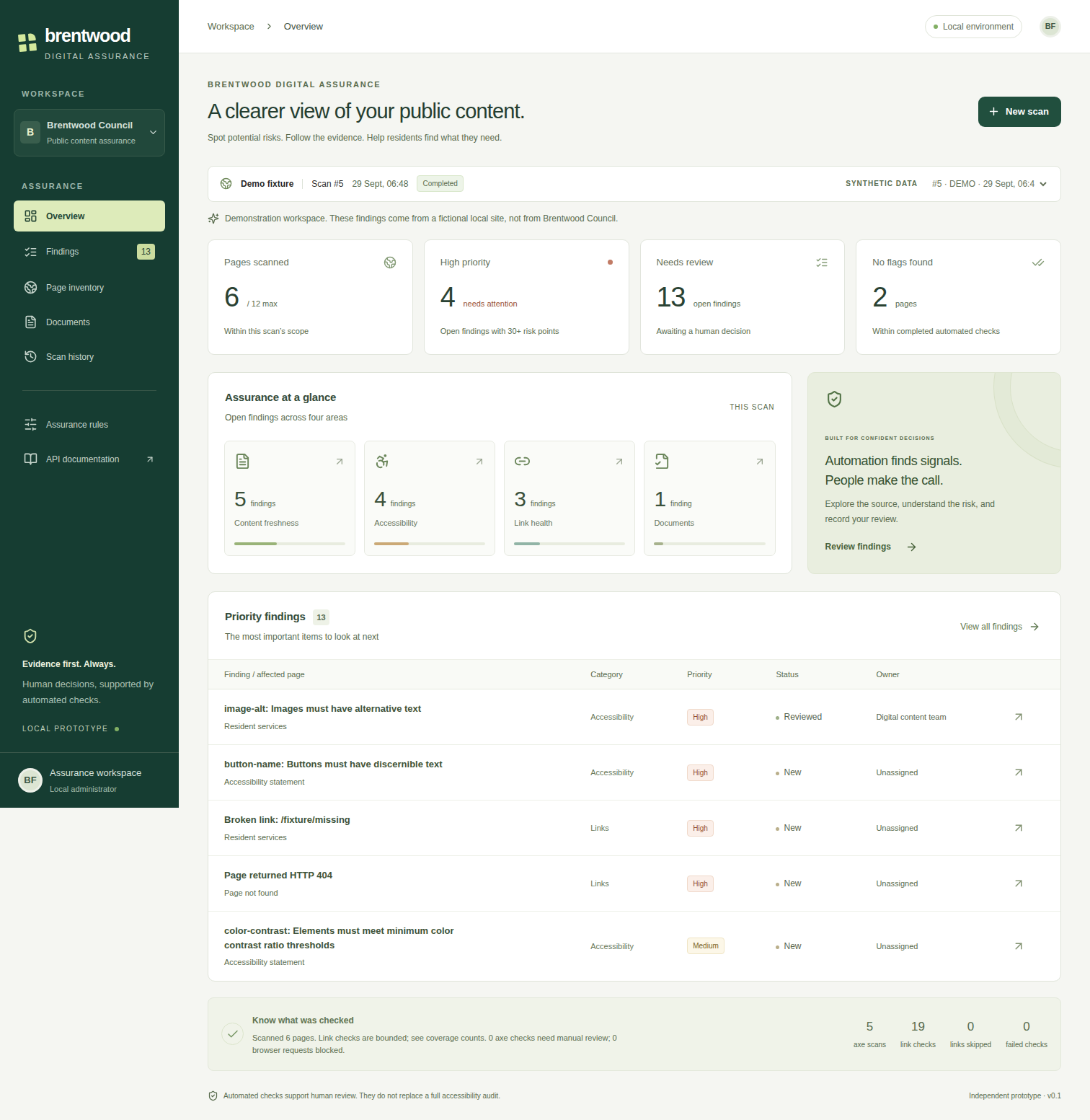
Instead of treating every warning as a verdict, the workspace gives each finding context: the affected page, the evidence behind it and a place to record the next action.
Find barriers worth investigating
Browser-based checks surface accessibility issues with affected elements and selectors, giving reviewers a concrete starting point.
Keep useful information usable
Spot ageing content, time-sensitive wording, broken links and redirect chains. Review documents alongside the pages that reference them.
Know what was actually checked
Inspect scanned URLs and discovered pages. Coverage and skipped checks stay visible, so an incomplete scan is easier to interpret.
Turn findings into decisions
Filter by priority, assign an owner, add review notes and record a status. Review history keeps the reasoning attached to the finding.
See what changes over time
Schedule recurring scans, recheck an individual URL and compare completed scans. Separate new findings from issues that were not checked again.
Share the evidence
Download PDF and Excel reports for follow-up work. Optional, on-demand AI explanations and content reviews help make captured evidence easier to understand.
Scan. Understand. Follow through.
Choose the scope
Start with a website and a bounded page limit. Follow scan progress and inspect the pages retrieved.
Review the evidence
Open findings, check the source and decide which issues need action. Assign ownership and capture the decision.
Track the next change
Run a recheck or compare a later scan, then share a report with the people doing the work.
Progress needs context.
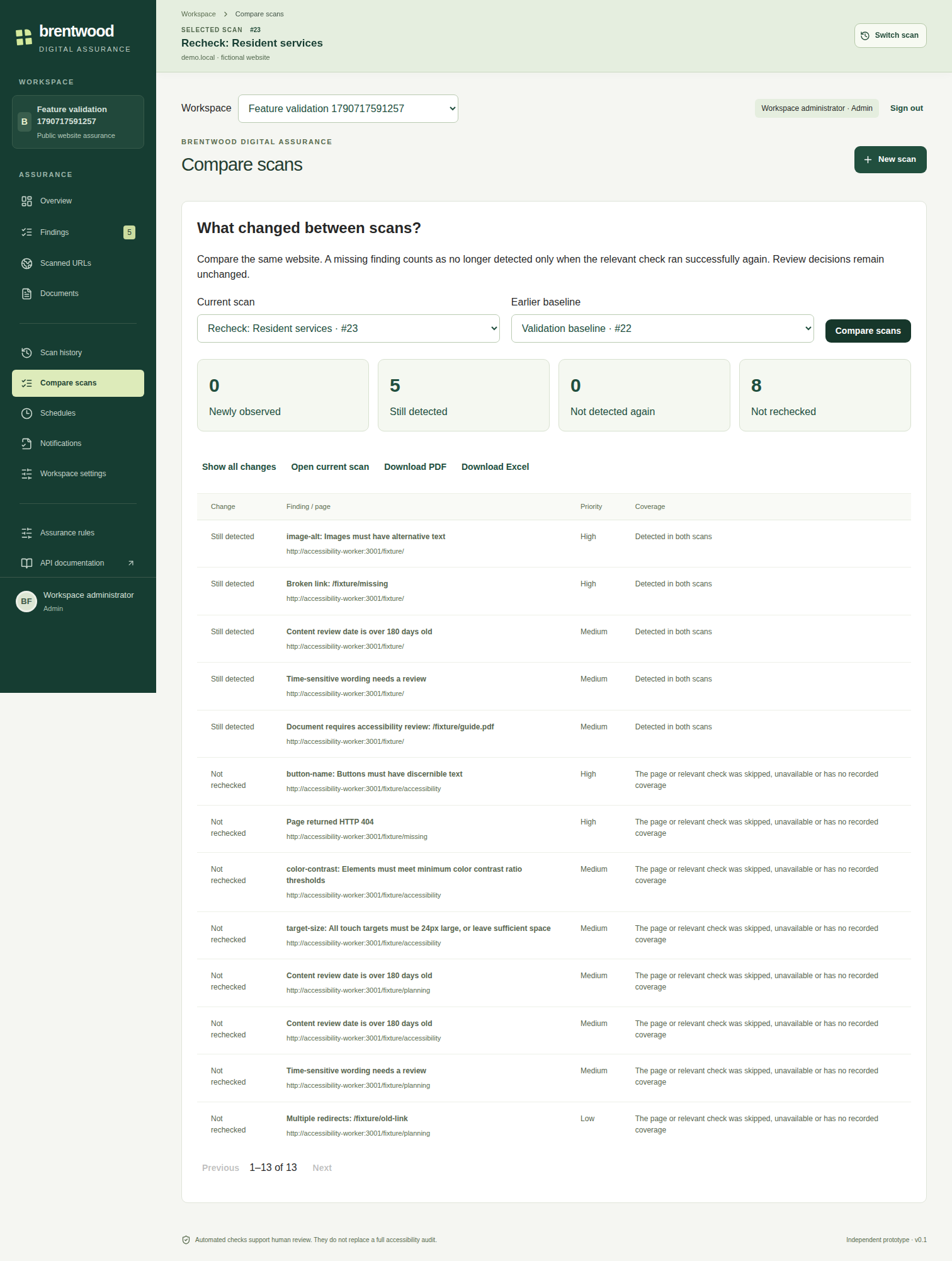
Scan comparisons distinguish newly observed issues, findings still detected, those not detected again and those not rechecked.
That distinction matters: a missing result should only count as no longer detected when the relevant check ran successfully again. Human review decisions stay separate from automated scan results.
These screenshots show earlier development builds. The dashboard uses fictional demonstration data; the comparison uses a local test website. They illustrate the workflow, rather than current results or a customer endorsement.
One product, from crawler to review screen.
I designed and developed the React interface, the Java and Spring Boot API, the PostgreSQL persistence layer and the separate Playwright worker for browser-based checks. Docker packages the services, with GitHub Actions supporting deployment.
Automation finds signals. People make the call. Automated checks and AI suggestions support review; they do not replace a full accessibility audit.